Content Craft
Write Carousels That Ride the Mortgage Cycle Throughout the Year
Borrower questions change by season. Q1 means tax-season conversations and first-time buyer questions. Summer means out-of-state buyers and relocations. Fall means rate-cut speculation. Q4 means year-end refinancing. Carousels about timely topics get better engagement because they answer what's on borrowers' minds right now. This guide maps seasonal angles and shows you how to build a 12-month carousel calendar.
Q1 (Jan–Mar): New Year, Tax Season, First-Time Buyer Energy
January is New Year's resolution season—borrowers think about buying. February and March mean tax planning. Carousels that work: 'New Year, new house? Here's your first-timer timeline.' 'Tax refund and down payment: Can you use your refund to buy?' 'Self-employed tax prep: Here's what lenders need.' Tax season is gold; use it.
- New Year resolutions: first-time buyer education, timeline carousels
- Tax-season angles: self-employed income docs, tax refund as down payment, deduction planning
- Q1 pain: 'I've never bought before', 'My taxes are complicated', 'I have a refund I want to use'
- Carousel angles: Timeline carousels, self-employed education, first-timer myths
Q2 (Apr–Jun): Summer Buying, Relocations, Rate Environment
Q2 is peak buying season. Families with kids plan summer relocations. Rate environment starts shifting. Carousels that work: 'Spring home-buying checklist.' 'Relocating with kids: Your mortgage timeline.' 'Rate environment update: Here's what rising rates mean.' Q2 is high volume; capture it.
- Seasonal pain: 'We're relocating', 'Everyone's buying now', 'Rates are changing'
- Volume spike: first-time buyers, relocating families, investors looking for deals
- Carousel angles: Checklist carousels, timeline carousels for relocations, rate explainers
- Content: Move-with-family guides, multiple-offer tactics, rate-neutral messaging
Q3 (Jul–Sep): Back-to-School, Rate Speculation, Rate Cuts
Q3 is odd: some back-to-school moving, less buying overall. But rate-cut speculation heats up in late Q3. Carousels that work: 'Back-to-school moving guide.' 'What a rate cut actually means for your mortgage.' 'Refi roadmap: When does it make sense?' Rate-cut chatter drives curiosity.
- Low volume, high conversation: rate-cut speculation, refi questions, slower market
- Carousel angles: Refi-readiness guides, rate explainers, myth-flips on rate cuts
- Content: 'Should you wait for a rate cut?', 'How much you save at different rates', 'Refi process walkthrough'
- Leverage: Less competition, more time per borrower, education-focused content
Q4 (Oct–Dec): Year-End Refinancing, Credit Repair, Holiday Momentum
Q4 has two moments: October refi season (year-end planning) and November-December holiday momentum. Carousels that work: 'Refi before year-end: Here's your timeline.' 'Improve your credit score for 2027 goals.' 'Holiday debt and your mortgage.' Q4 buyers often have emotional ties (kids, holidays); use warmth.
- Year-end pain: 'I want to refi before Jan 1', 'I want to improve credit for next year', 'Holiday spending affects my ratios'
- Carousel angles: Year-end refi guides, credit-repair timelines, debt-strategy guides
- Content: 'Refi cost-benefit at year-end', 'Credit score boost tactics for 2027', 'Holiday spending planning'
- Tone: Optimistic, forward-thinking, fresh starts
Building a 12-Month Carousel Calendar
Use the seasonal angles above to plan quarterly carousel batches. January: 6 first-time buyer + tax carousels. April: 6 spring buying + relocation carousels. July: 6 rate explainers + refi carousels. October: 6 year-end + credit carousels. This way, you're not scrambling for ideas; you're following the mortgage cycle.
- Map your four quarterly carousel batches (6 carousels per quarter = 24/year)
- Plan batch topics in Q-1 (e.g., in December, plan Q1 January carousels)
- Use seasonal templates and adapt them year after year (reuse and update, don't rebuild)
- Track which seasonal angles get the most engagement; repeat the winners
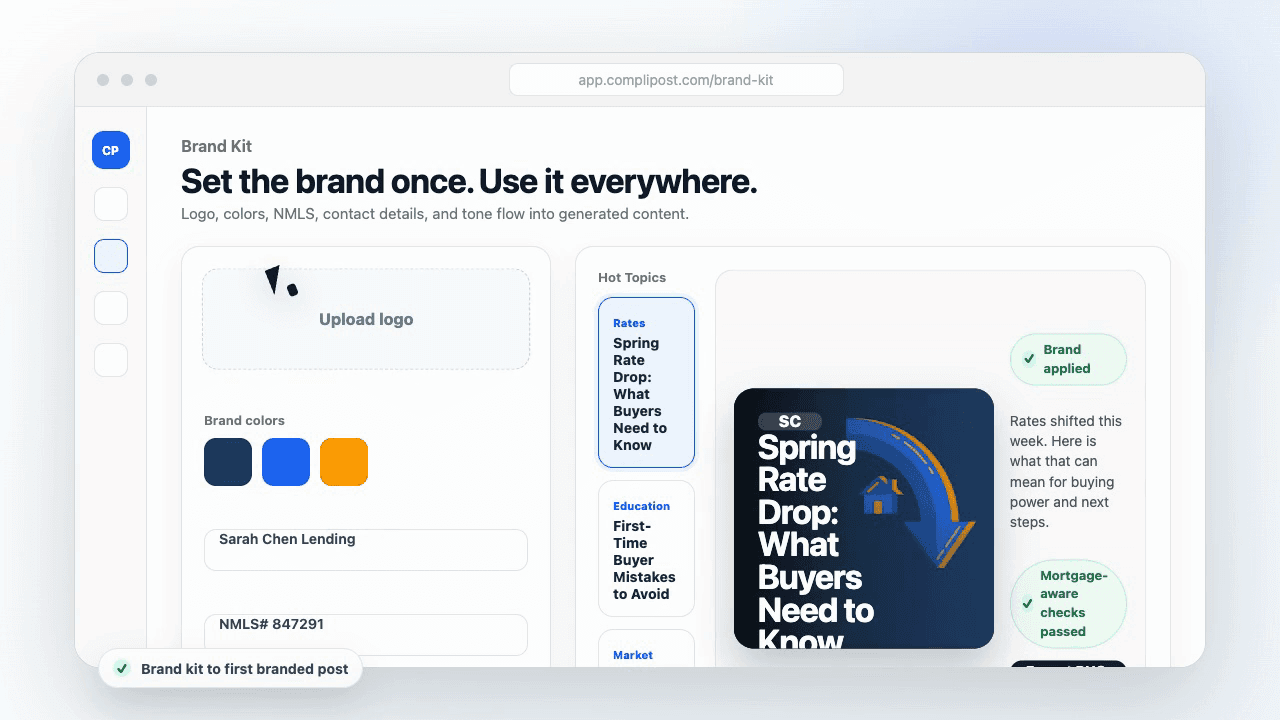
Product workflow
From blank page to export-ready mortgage content
- Start with a borrower topic
- Generate copy and a visual direction
- Review, save, and export the finished asset
These previews reflect the core CompliPost workflow: create, review, save, and export assets for use in your own channels.
Workflow comparison
| Content approach | What happens | Why it matters |
|---|---|---|
| Random posting | One-off ideas created when there is spare time | Inconsistent visibility and weak reuse |
| Template-only posting | Faster design but still requires rewriting and review | Helpful starting point, but not a full system |
| CompliPost workflow | Plan, generate, review, save, and export from one place | Better consistency with mortgage-aware review context |
| Done-for-you service | Someone else creates much of the content | Useful for some teams, but less control and less immediate reuse |
Who this guide helps
This guide is for loan officers working on solo loan officers who need a repeatable mortgage content workflow. The goal is to turn a broad mortgage topic into one borrower question, one useful takeaway, and one asset that can be reviewed before it is shared.
- You need content that sounds like a loan officer, not a generic brand account
- You want examples that can become captions, graphics, GIFs, or PDFs
- You need a clear place to review claims before export
- You want finished work saved for reuse, not lost in a chat thread
A practical workflow for this use case
Start with a narrow scenario, then move through planning, drafting, visual creation, review, and export. For seasonal carousel mortgage, that means the topic should be specific enough that a borrower or referral partner can immediately understand what decision the content helps with.
- Choose the borrower type, loan topic, or platform before generating copy
- Draft the caption and visual together so the asset feels cohesive
- Use the federal baseline review aid to flag claims and disclosure gaps
- Export the finished asset and save the post as a reusable starting point
What makes the content stronger
Strong mortgage content is usually specific, plain-spoken, and calm. It explains tradeoffs without pretending one answer fits every borrower. That is especially important on public social channels, where a short post can be interpreted without the full context of a loan conversation.
- Name the borrower question in the first line
- Explain one decision or tradeoff instead of covering everything
- Use examples without implying approval, savings, or rate outcomes
- End with a soft next step, checklist, or guide rather than pressure
Compliance-aware review notes
CompliPost should be treated as a review aid, not a compliance approval system. The public page, generated draft, graphic, and exported asset should all stay honest about that boundary.
- Review specific payment, APR, rate, savings, and qualification language
- Avoid “best,” “lowest,” “guaranteed,” “free,” and urgency claims unless approved
- Check NMLS, Equal Housing, company, and state-specific requirements
- Use company or legal review for anything outside the federal baseline
How this connects to the rest of CompliPost
A focused guide should leave you with a usable next step. After you understand the topic, you can turn it into a calendar slot, a reviewed social post, a downloadable guide, or a platform-specific version for the channel where your audience already spends time.
- Use the content calendar to turn the idea into a weekly plan
- Use the compliance page when claims or disclosures need a slower pass
- Use lead magnets when the topic deserves a deeper PDF guide
- Use platform pages to adapt the same idea for LinkedIn, Facebook, or Instagram
Recommended next steps
Instagram content hub
Create visual mortgage education for carousels, reels, and stories.
Carousel Ideas for Every Loan Type
A library of angles you can slot into seasonal buckets.
Carousel Structures That Convert
Use these same structures with seasonal hooks and examples.
Carousel Audience Targeting
Combine seasonal angles with segment-specific language for laser-focused content.
Examples
FAQ
What if my market doesn't follow these seasonal patterns?+
Adjust them. If your region has a different peak season (e.g., winter buying is common in your area), shift your calendar. If you work with investors or corporate relocations, Q2 relocation angles are your gold. Use the framework, but adapt the timing to your market.
Should I post different carousels in different regions?+
If you serve multiple regions, yes. A carousel about 'Spring buying in a competitive market' lands differently in hot markets vs. buyer's-market regions. Tailor location-specific language and examples. This feels more relevant and trusted.
How far in advance should I plan my seasonal carousels?+
Plan by the previous quarter. In December, plan January carousels. In March, plan April. This gives you a month to write, design, and schedule carousels without rushing. It also lets you adjust if the market shifts.
Can I repurpose seasonal carousels year after year?+
Absolutely. 'New Year home-buying timeline' works every January. Update timelines and rates if they've changed, then repost. Seasonal content is evergreen—a borrower shopping in January 2027 has the same questions as a borrower shopping in January 2026.
What if rate environment dramatically shifts mid-quarter?+
Adapt. If rates drop unexpectedly in February, pause your planned 'Q1 tax season' carousels and post a rate-cut explainer. Flexibility beats rigid calendars. But keep the calendar as a backbone so you always have a planned direction.
Create mortgage content with a calmer workflow
CompliPost helps you plan, generate, review, save, and export useful mortgage content without pretending compliance or social distribution is automatic.
Start free