Content Craft
Master the 4 Carousel Structures That Work for Mortgage LOs
Carousel posts let you tell a story across multiple slides instead of cramming one long caption into a single image. The most effective LOs don't wing it—they pick a structure that matches their message. Whether you're walking a borrower through the loan process, busting myths, or listing steps, the right frame makes your carousel memorable and clickable.
Why Does Carousel Structure Matter?
A carousel without a frame feels random. Your audience scrolls through slide 1, 2, 3 expecting a coherent idea—not a grab bag of facts. The structure is your promise: 'Stick with me, this goes somewhere.' When you commit to a structure (problem-solution, timeline, myth-fact), every slide earns its place and slide 1 becomes magnetic because the audience already knows what they'll learn.
- Structure gives each slide a purpose, so no slide feels wasted
- Borrowers scroll faster and stay longer when they sense a payoff coming
- Repeating the same structure across posts trains your audience to expect depth
- A clear frame lets you repurpose the same carousel in different captions
The Problem-Solution Carousel
Start with a borrower pain point on slide 1 ('You think you can't get a mortgage because of your credit score'), then spend 2–3 slides breaking down the misconception, and close with the reset: the actual path forward. This structure works because it mirrors how borrowers think—they arrive with a worry, and you meet them there with relief.
- Slide 1: Name the problem or worry in plain language
- Slides 2–3: Show why that worry is outdated or incomplete
- Slide 4: Reveal the real solution or the door that's actually open
- CTA: Invite them to confirm whether this applies to their situation
The Timeline or Process Carousel
Walk borrowers through the steps of a real scenario—how the pre-approval flow works, what happens from offer to close, or the timeline for refinancing. This structure is visual storytelling: slide 1 is the starting line, middle slides are waypoints, and the final slide is the finish. Borrowers love clarity, and timelines give them both permission and confidence.
- Slide 1: Set the context ('Here's what the 45-day path to closing looks like')
- Middle slides: Unfold one step per slide with realistic timelines and who acts
- Final slide: Celebrate arrival and name the next conversation they should have
- Use consistent icons or numbers to signal forward motion
The Myth vs. Fact Carousel
Take a widespread belief borrowers hold ('You need 20% down to get a mortgage'), reveal the fact ('Down payments start at 3–5%'), and move to the nuance ('Here's how those programs differ'). This structure is a magnet for saves because it answers a question the borrower didn't know they had. It also establishes you as a source of real information.
- Slide 1: State the myth in the voice of a typical borrower
- Slide 2: Flip it with the fact in bold terms
- Slide 3–4: Add the nuance or context ('But here's what matters more than the number')
- Format: Use contrast (dark vs. light, strikethrough, large text) to make the flip stick
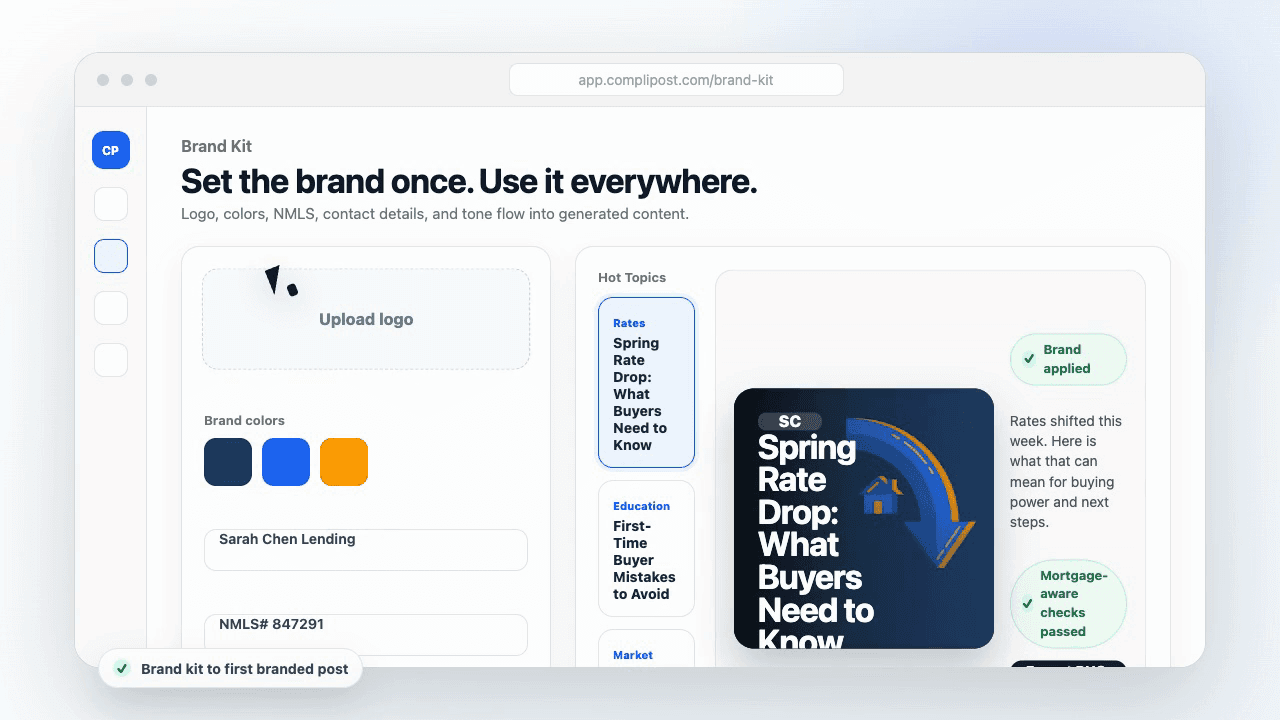
Product workflow
From blank page to export-ready mortgage content
- Start with a borrower topic
- Generate copy and a visual direction
- Review, save, and export the finished asset
These previews reflect the core CompliPost workflow: create, review, save, and export assets for use in your own channels.
Workflow comparison
| Content approach | What happens | Why it matters |
|---|---|---|
| Random posting | One-off ideas created when there is spare time | Inconsistent visibility and weak reuse |
| Template-only posting | Faster design but still requires rewriting and review | Helpful starting point, but not a full system |
| CompliPost workflow | Plan, generate, review, save, and export from one place | Better consistency with mortgage-aware review context |
| Done-for-you service | Someone else creates much of the content | Useful for some teams, but less control and less immediate reuse |
Who this guide helps
This guide is for loan officers working on solo loan officers who need a repeatable mortgage content workflow. The goal is to turn a broad mortgage topic into one borrower question, one useful takeaway, and one asset that can be reviewed before it is shared.
- You need content that sounds like a loan officer, not a generic brand account
- You want examples that can become captions, graphics, GIFs, or PDFs
- You need a clear place to review claims before export
- You want finished work saved for reuse, not lost in a chat thread
A practical workflow for this use case
Start with a narrow scenario, then move through planning, drafting, visual creation, review, and export. For carousel structures mortgage, that means the topic should be specific enough that a borrower or referral partner can immediately understand what decision the content helps with.
- Choose the borrower type, loan topic, or platform before generating copy
- Draft the caption and visual together so the asset feels cohesive
- Use the federal baseline review aid to flag claims and disclosure gaps
- Export the finished asset and save the post as a reusable starting point
What makes the content stronger
Strong mortgage content is usually specific, plain-spoken, and calm. It explains tradeoffs without pretending one answer fits every borrower. That is especially important on public social channels, where a short post can be interpreted without the full context of a loan conversation.
- Name the borrower question in the first line
- Explain one decision or tradeoff instead of covering everything
- Use examples without implying approval, savings, or rate outcomes
- End with a soft next step, checklist, or guide rather than pressure
Compliance-aware review notes
CompliPost should be treated as a review aid, not a compliance approval system. The public page, generated draft, graphic, and exported asset should all stay honest about that boundary.
- Review specific payment, APR, rate, savings, and qualification language
- Avoid “best,” “lowest,” “guaranteed,” “free,” and urgency claims unless approved
- Check NMLS, Equal Housing, company, and state-specific requirements
- Use company or legal review for anything outside the federal baseline
How this connects to the rest of CompliPost
A focused guide should leave you with a usable next step. After you understand the topic, you can turn it into a calendar slot, a reviewed social post, a downloadable guide, or a platform-specific version for the channel where your audience already spends time.
- Use the content calendar to turn the idea into a weekly plan
- Use the compliance page when claims or disclosures need a slower pass
- Use lead magnets when the topic deserves a deeper PDF guide
- Use platform pages to adapt the same idea for LinkedIn, Facebook, or Instagram
Recommended next steps
Instagram content hub
Create visual mortgage education for carousels, reels, and stories.
Carousel Ideas for Every Loan Type
A pool of 25+ carousel angles tied to common borrower questions and loan programs.
Social Copy Compliance for Mortgage LOs
Federal baseline checks and language safeguards before you post any carousel.
Graphic Design for Social Posts
Contrast, readability, and color rules that make your carousel slides stop the scroll.
Examples
FAQ
How many slides should my carousel have?+
Instagram and LinkedIn both support 10+ slides, but aim for 5–7 if you're starting out. More slides mean more scrolls, and not all viewers finish. Stick to the count that fits your structure without filler. A tight 5-slide carousel beats a padded 8-slide one every time. Test short and long formats separately to see what your audience prefers.
What should my first slide say or show?+
How do I format text for readability across slides?+
Mobile screens are small. Use one headline per slide (12–14 words max), keep body text to 1–2 lines, and always test on your own phone before posting. Sans-serif fonts (Helvetica, Arial, or equivalent) are safest. Avoid white text on light backgrounds or thin fonts that blur at small sizes. Contrast is not optional—it's the difference between readable and skipped.
Can I repurpose the same carousel multiple times?+
Absolutely. Change the caption angle, update any dates or rates if needed, and repost it in a different season. A carousel about down-payment programs posted in January (New Year resolution season) lands differently than the same carousel posted in April. Your carousel is an asset; treat it like one. Save your slide templates so you can rebuild the structure with fresh data.
What's the best CTA (call-to-action) for a carousel?+
End your carousel with clarity about the next step. 'Save this if you're curious,' 'Reply with your biggest question,' or 'DM me your timeline' are all stronger than vague closes. The CTA should match the carousel type: timeline carousels work well with 'When are you thinking of buying?', while myth-fact carousels earn 'Which myth have you heard most?'. Make it easy to respond.
Create mortgage content with a calmer workflow
CompliPost helps you plan, generate, review, save, and export useful mortgage content without pretending compliance or social distribution is automatic.
Start free