Content Craft
Build Carousels for Specific Borrower Segments, Not General Audiences
A carousel on down-payment programs resonates with first-time buyers but feels irrelevant to investors. A carousel on rental-property cash flow appeals to investors but bores owner-occupants. The same carousel doesn't work for everyone. This guide shows you how to take one carousel idea and customize it for different borrower segments so each feels personally addressed.
Identify Your Core Segments
List the borrower types you work with most: first-time buyers, investors, self-employed, medical professionals, credit-challenged, etc. Each segment has different priorities, concerns, and conversations. A carousel that addresses 'How do I improve my credit score?' is gold for credit-challenged borrowers but noise for borrowers with 750+ credit. Segment-specific carousels have higher engagement because they feel personally relevant.
- List 3–5 borrower segments you work with most
- For each segment, list their main concern when buying or refinancing
- Notice which concerns appear in multiple segments (e.g., 'Can I afford the down payment?')
- Plan segment-specific carousels for unique concerns and general carousels for universal ones
Customize Carousel Angles for Segments
Take a carousel idea (e.g., 'down-payment programs') and build three versions: one for first-time buyers ('Down-payment programs under 5%'), one for investors ('Investor down-payment options'), one for medical professionals ('Physician down-payment programs'). The structure is the same, but the language, examples, and focus shift to match each segment's reality.
- Headline: Mention the segment name or situation ('For first-time buyers...', 'If you're self-employed...')
- Examples: Use segment-relevant scenarios (physician relocation for physicians; rental cash flow for investors)
- Concerns: Address what this segment worries about (student loans for physicians, cash reserves for investors)
- Closing CTA: Invite segment members to self-identify ('DM if you're a physician thinking about buying')
Use Language That Speaks to Each Segment
First-time buyers speak about 'saving for a down payment' and 'finding the right house.' Investors speak about 'cash flow' and 'returns.' Medical professionals speak about 'student loan debt' and 'career flexibility.' Use the language each segment uses. If you use investor jargon with first-time buyers, they'll feel excluded. If you oversimplify for sophisticated borrowers, they'll feel talked down to.
- Research how each segment talks about buying or refinancing (listen in conversations, read comments)
- Use their vocabulary, not your corporate-lender vocabulary
- First-time buyer: 'afford', 'down payment', 'ready', 'nerve-wracking'
- Investor: 'cash flow', 'return', 'cash-on-cash', 'portfolio'
- Medical pro: 'student debt', 'high earner', 'income flexibility', 'relocation'
Create Segment-Specific Examples and Scenarios
In your carousel examples, reference scenarios each segment relates to. For investors: 'You find a rental property with 5% cash flow.' For first-time buyers: 'You find a house in your price range.' For self-employed: 'You show two years of tax returns.' These small details make the carousel feel written for that person, not to a generic audience.
- First-time buyer example: House hunting at their price range, competing with other offers
- Investor example: Analyzing cash flow, finding deals, building a portfolio
- Medical pro example: Managing student debt, navigating high income, relocating for a job
- Self-employed example: Documenting income, explaining variable earnings, tax strategy
Test Segment-Specific Carousels and Measure
Post one segment-specific carousel a week for four weeks. Measure engagement by segment: which carousel got the most replies from first-time buyers? Which got the most saves from investors? This data tells you which segments are most responsive and which topics matter most to each group. Use this intelligence to plan your next month of carousels.
- Track which segment-specific carousels get the most replies and saves
- Notice which segments actually respond vs. which just view
- Ask respondents follow-up questions to understand their timeline and needs
- Double down on what works: if investor carousels get high engagement, post more
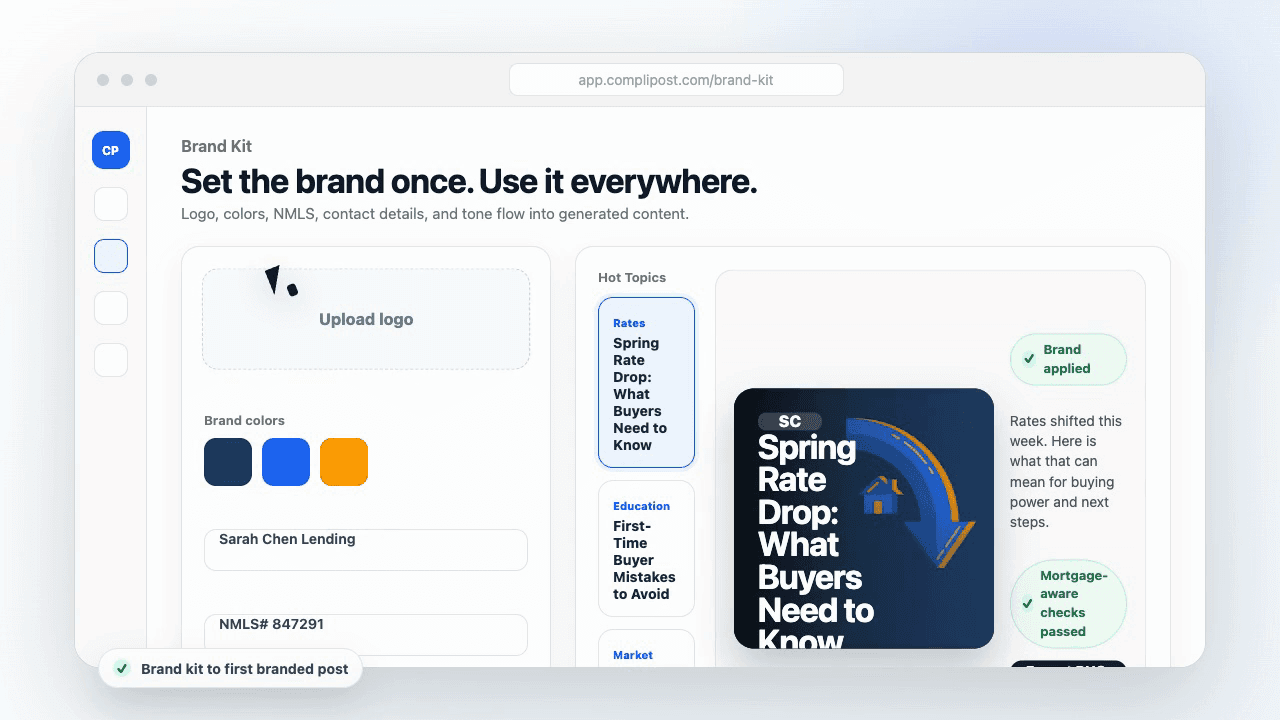
Product workflow
From blank page to export-ready mortgage content
- Start with a borrower topic
- Generate copy and a visual direction
- Review, save, and export the finished asset
These previews reflect the core CompliPost workflow: create, review, save, and export assets for use in your own channels.
Workflow comparison
| Content approach | What happens | Why it matters |
|---|---|---|
| Random posting | One-off ideas created when there is spare time | Inconsistent visibility and weak reuse |
| Template-only posting | Faster design but still requires rewriting and review | Helpful starting point, but not a full system |
| CompliPost workflow | Plan, generate, review, save, and export from one place | Better consistency with mortgage-aware review context |
| Done-for-you service | Someone else creates much of the content | Useful for some teams, but less control and less immediate reuse |
Who this guide helps
This guide is for loan officers working on solo loan officers who need a repeatable mortgage content workflow. The goal is to turn a broad mortgage topic into one borrower question, one useful takeaway, and one asset that can be reviewed before it is shared.
- You need content that sounds like a loan officer, not a generic brand account
- You want examples that can become captions, graphics, GIFs, or PDFs
- You need a clear place to review claims before export
- You want finished work saved for reuse, not lost in a chat thread
A practical workflow for this use case
Start with a narrow scenario, then move through planning, drafting, visual creation, review, and export. For carousel targeting audience segments, that means the topic should be specific enough that a borrower or referral partner can immediately understand what decision the content helps with.
- Choose the borrower type, loan topic, or platform before generating copy
- Draft the caption and visual together so the asset feels cohesive
- Use the federal baseline review aid to flag claims and disclosure gaps
- Export the finished asset and save the post as a reusable starting point
What makes the content stronger
Strong mortgage content is usually specific, plain-spoken, and calm. It explains tradeoffs without pretending one answer fits every borrower. That is especially important on public social channels, where a short post can be interpreted without the full context of a loan conversation.
- Name the borrower question in the first line
- Explain one decision or tradeoff instead of covering everything
- Use examples without implying approval, savings, or rate outcomes
- End with a soft next step, checklist, or guide rather than pressure
Compliance-aware review notes
CompliPost should be treated as a review aid, not a compliance approval system. The public page, generated draft, graphic, and exported asset should all stay honest about that boundary.
- Review specific payment, APR, rate, savings, and qualification language
- Avoid “best,” “lowest,” “guaranteed,” “free,” and urgency claims unless approved
- Check NMLS, Equal Housing, company, and state-specific requirements
- Use company or legal review for anything outside the federal baseline
How this connects to the rest of CompliPost
A focused guide should leave you with a usable next step. After you understand the topic, you can turn it into a calendar slot, a reviewed social post, a downloadable guide, or a platform-specific version for the channel where your audience already spends time.
- Use the content calendar to turn the idea into a weekly plan
- Use the compliance page when claims or disclosures need a slower pass
- Use lead magnets when the topic deserves a deeper PDF guide
- Use platform pages to adapt the same idea for LinkedIn, Facebook, or Instagram
Recommended next steps
Instagram content hub
Create visual mortgage education for carousels, reels, and stories.
Carousel Ideas for Every Loan Type
A library of carousel angles pre-organized by borrower segment and loan type.
Carousel Structures That Convert
Use the same carousel structures with segment-specific language and examples.
Writing Captions That Drive Clicks and Saves
Use captions to introduce the segment and invite self-identification.
Examples
FAQ
How do I know which segments to prioritize?+
Look at your last 20 loans. Which borrower types closed most? Which borrowed largest? Which referred other borrowers? Those are your highest-value segments. Focus segment-specific carousels on high-value segments first. If you work equally with first-time buyers and investors, split your content 50/50.
Can I post segment-specific carousels on the same day?+
Yes, if you're posting on different platforms (Instagram + LinkedIn) or in different formats (carousel + single post). If you're posting on the same Instagram account, stagger them a few days apart so you're not competing with yourself in your own feed. Let each carousel live and get engagement before posting the next one.
What if I work with multiple segments equally?+
Post in rotation: one first-time buyer carousel, one investor carousel, one self-employed carousel, repeat. This gives each segment regular content that feels tailored to them. Borrowers who see themselves in your content are more likely to engage and refer others in their segment.
Should I mention the target segment in the caption?+
Absolutely. 'If you're thinking about investing in your first rental property, this carousel is for you.' Self-identification is powerful. Borrowers appreciate when you acknowledge their specific situation. This also helps the right people find and save your carousel.
How often should I post segment-specific carousels?+
Aim for 1–2 per week if you have multiple segments. If you work with three segments equally, post one carousel for segment A, one for segment B, one for segment C, then repeat. Consistency and variety keep your audience engaged.
Create mortgage content with a calmer workflow
CompliPost helps you plan, generate, review, save, and export useful mortgage content without pretending compliance or social distribution is automatic.
Start free