Content Craft
Track Carousel ROI: From Posts to Leads to Closing Tables
A carousel that gets 100 likes but drives zero leads is vanity. A carousel that gets 5 replies from borrowers who close is gold. This guide shows you how to connect carousel engagement to real business outcomes—traffic, leads, applications, closings—so you know which carousels actually move the needle.
The Carousel ROI Funnel
Carousel engagement → Website traffic → Lead capture → Conversation → Application → Closing. Each step filters. 100 carousel views might be 10 website clicks, 3 lead captures, 1 conversation, 1 application, maybe 1 closing. Measure all steps so you understand where carousels are valuable. A carousel that drives website traffic but no lead captures needs a stronger website CTA.
- Step 1: Carousel engagement (views, saves, replies, shares)
- Step 2: Website traffic from carousel links (track with UTM parameters)
- Step 3: Leads captured (form fills, email signups, phone calls)
- Step 4: Conversations started (replies, DMs, calls)
- Step 5: Applications submitted (loan apps from carousel viewers)
- Step 6: Closings (actual mortgages funded from carousel touchpoints)
UTM Parameters: Track Where Traffic Comes From
Add UTM parameters to every link in your carousel so you know which carousel sent which visitor. Example: 'website.com/?utm_source=instagram&utm_medium=carousel&utm_campaign=preapproval' tells you traffic came from Instagram carousel about pre-approval. Google Analytics shows which carousels sent traffic, which led to conversions, and which didn't.
- UTM format: ?utm_source=platform&utm_medium=carousel&utm_campaign=topic
- Example: ?utm_source=instagram&utm_medium=carousel&utm_campaign=preapproval_checklist
- Track in Google Analytics: Which carousels sent traffic, which converted
- Different carousel = different UTM parameters so you can compare
Promo Codes: Track Calls and Applications
Give each carousel a unique promo code or tracking number. 'Use code CAROUSEL5 for your free pre-approval call' or 'Mention carousel #5 when you call.' Then track: How many people used the code? Which carousels had high code usage? Which codes converted to applications? This ties social engagement directly to business outcomes.
- One carousel = one unique code (CAROU_PREAPP, CAROU_REFI, etc.)
- Mention code in carousel CTA ('Use code CAROU_PREAPP when you apply')
- Track in your CRM: How many leads used each code
- Calculate: Code usage / carousel engagement = conversion rate
Measuring True ROI: From Carousel to Closing
Track which carousels touched leads that closed. Use your CRM and UTM data to connect dots: This borrower saw carousel #5, clicked the link, filled out a form, applied, and closed. That carousel contributed to one closing. Track across all carousels. Over a year, you'll see: Carousel #5 touched 12 leads, 4 applied, 2 closed. Carousel #7 touched 40 leads, 2 applied, 0 closed. ROI is clear.
- Track: Each carousel → audience reached → leads generated → closings
- Calculate: Cost (your time) / Closings from carousel = ROI
- Example: 3 hours building carousel × $50/hour = $150 cost. 2 closings = $75 per closing
- Compare: Which carousels have highest ROI? Double down on those
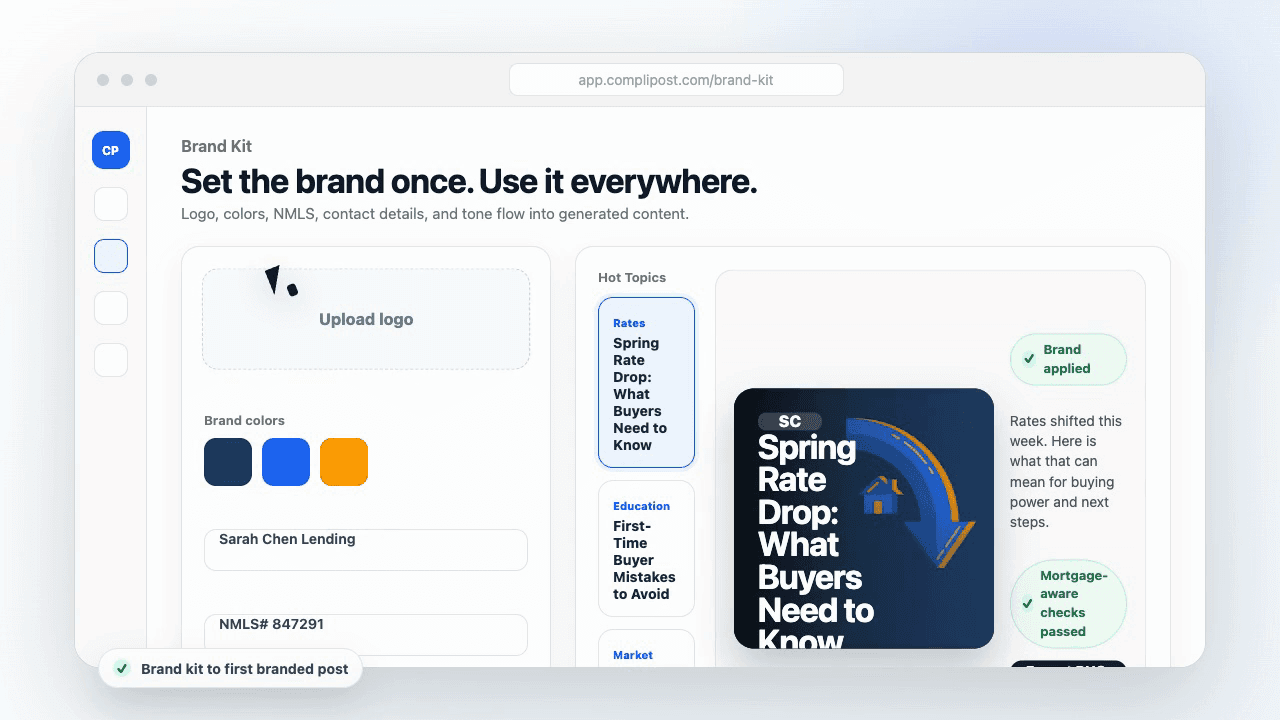
Product workflow
From blank page to export-ready mortgage content
- Start with a borrower topic
- Generate copy and a visual direction
- Review, save, and export the finished asset
These previews reflect the core CompliPost workflow: create, review, save, and export assets for use in your own channels.
Workflow comparison
| Content approach | What happens | Why it matters |
|---|---|---|
| Random posting | One-off ideas created when there is spare time | Inconsistent visibility and weak reuse |
| Template-only posting | Faster design but still requires rewriting and review | Helpful starting point, but not a full system |
| CompliPost workflow | Plan, generate, review, save, and export from one place | Better consistency with mortgage-aware review context |
| Done-for-you service | Someone else creates much of the content | Useful for some teams, but less control and less immediate reuse |
Who this guide helps
This guide is for loan officers working on solo loan officers who need a repeatable mortgage content workflow. The goal is to turn a broad mortgage topic into one borrower question, one useful takeaway, and one asset that can be reviewed before it is shared.
- You need content that sounds like a loan officer, not a generic brand account
- You want examples that can become captions, graphics, GIFs, or PDFs
- You need a clear place to review claims before export
- You want finished work saved for reuse, not lost in a chat thread
A practical workflow for this use case
Start with a narrow scenario, then move through planning, drafting, visual creation, review, and export. For carousel roi measurement, that means the topic should be specific enough that a borrower or referral partner can immediately understand what decision the content helps with.
- Choose the borrower type, loan topic, or platform before generating copy
- Draft the caption and visual together so the asset feels cohesive
- Use the federal baseline review aid to flag claims and disclosure gaps
- Export the finished asset and save the post as a reusable starting point
What makes the content stronger
Strong mortgage content is usually specific, plain-spoken, and calm. It explains tradeoffs without pretending one answer fits every borrower. That is especially important on public social channels, where a short post can be interpreted without the full context of a loan conversation.
- Name the borrower question in the first line
- Explain one decision or tradeoff instead of covering everything
- Use examples without implying approval, savings, or rate outcomes
- End with a soft next step, checklist, or guide rather than pressure
Compliance-aware review notes
CompliPost should be treated as a review aid, not a compliance approval system. The public page, generated draft, graphic, and exported asset should all stay honest about that boundary.
- Review specific payment, APR, rate, savings, and qualification language
- Avoid “best,” “lowest,” “guaranteed,” “free,” and urgency claims unless approved
- Check NMLS, Equal Housing, company, and state-specific requirements
- Use company or legal review for anything outside the federal baseline
How this connects to the rest of CompliPost
A focused guide should leave you with a usable next step. After you understand the topic, you can turn it into a calendar slot, a reviewed social post, a downloadable guide, or a platform-specific version for the channel where your audience already spends time.
- Use the content calendar to turn the idea into a weekly plan
- Use the compliance page when claims or disclosures need a slower pass
- Use lead magnets when the topic deserves a deeper PDF guide
- Use platform pages to adapt the same idea for LinkedIn, Facebook, or Instagram
Recommended next steps
Instagram content hub
Create visual mortgage education for carousels, reels, and stories.
Carousel Engagement Analysis
Understand metrics before connecting them to ROI.
Carousel Closing CTA Slides
Strong CTAs directly impact click-through and lead capture.
Carousel Repurposing Across Platforms
Track ROI by platform to know where to focus effort.
Examples
FAQ
How long should I track a carousel before deciding it's 'worth it'?+
Track for at least 30 days. Most engagement happens within the first week, but web traffic and leads trickle in over time. By day 30, you have enough data to know if a carousel drove real business value.
What if a carousel doesn't drive direct leads but increases brand awareness?+
Brand awareness is harder to measure but valuable. A borrower sees your carousel, doesn't click, but remembers your name. Months later, they apply. You can't directly tie that carousel to the application, but brand awareness carousels have ROI—it's just indirect. Focus on direct ROI first (leads, calls), then expand to awareness.
Should I stop posting carousels that don't drive leads?+
Not immediately. Some carousels build credibility or trust without directly converting. But focus your effort on carousels that drive traffic and leads. If carousel #5 has 5x better ROI than carousel #2, post more like #5.
How do I attribute a closing to a carousel if the borrower saw many carousels?+
Use a touchpoint model: credit all carousels they engaged with. Borrower saw carousel #3, #5, and #7 before applying. All three contributed. Track all touchpoints and notice patterns: which carousels do high-closing-rate borrowers see most?
What's a 'good' ROI for carousel marketing?+
That depends on your closing fees and profit margins. If you make $5,000 per closing and a carousel costs 3 hours ($150), an ROI of even 1 closing per 3 carousels ($150 cost, $5,000 return) is 33x return. Anything positive is good; carousels that consistently convert are gold.
Create mortgage content with a calmer workflow
CompliPost helps you plan, generate, review, save, and export useful mortgage content without pretending compliance or social distribution is automatic.
Start free