Content Craft
Read Carousel Metrics That Actually Predict Success
Your carousel got 40 likes but no replies. Another carousel got 10 likes and 5 replies. Which one matters more? Metrics tell stories if you know which ones to read. This guide walks you through platform analytics and shows you which data points predict a carousel that's working—and which metrics are vanity.
Likes and Views Are Vanity Metrics
Likes and views feel good but don't tell you if a carousel is converting. A carousel can get 100 views and 0 replies (people saw it, weren't convinced). A carousel can get 10 views and 2 replies (people saw it, engaged deeply). Platforms reward engagement depth over breadth. Replies, saves, shares, and click-throughs matter more than likes because they signal a borrower is acting, not just scrolling.
- Vanity metrics: likes, views, impressions (they feel good but don't predict action)
- Action metrics: replies, saves, shares, link clicks (these predict real borrower interest)
- Borrower quality: A reply from someone in your target market > 100 likes from random people
- Track: replies, DMs, link clicks, and shares—ignore likes as a success measure
Which Metrics Actually Matter
Saves are pure gold. A borrower who saves your carousel plans to use it later (e.g., when they're ready to buy). Replies from borrowers in your target market are conversations you can turn into leads. Click-throughs to your website or link are website traffic. Shares mean borrowers trust your content enough to send it to others. These metrics signal qualified interest, not just scrolls.
- Saves: Borrower wants to reference this later; they're planning action
- Replies from target market: Hot lead; person is thinking about their situation
- Shares: Extreme trust signal; borrower vouches for you to friends
- Link clicks: Direct traffic to your website; measure conversions on the other end
- Screenshot shares (hard to measure): Borrower is forwarding to spouse/friend
Carousel Completion Rate: When People Stop Scrolling
Platform analytics show you how many people swiped through each slide. If 100 people see slide 1 but only 20 see slide 7, you're losing people at slide 5 or 6. This tells you that slides 5–6 are weak or that people lose interest there. Completion rate is your early-warning system: if it drops off before your CTA slide, rewrite those middle slides or trim the carousel.
- Track completion rate per carousel (platforms like Instagram show this)
- If completion rate is below 50% by slide 3, your hook or structure is weak
- If people drop off at slide 5, trim anything after slide 5 or improve that slide
- High completion rate (70%+) signals a strong, focused carousel
Early Engagement: The First Hour Matters Most
A carousel that gets engagement in the first hour is algorithmically boosted. Platforms look at early engagement to decide whether to show the carousel to more people. A carousel that sits quiet for 4 hours then gets engagement doesn't get the same boost. Post when your audience is online (typically 8–10am or 5–7pm), because early engagement signals to the algorithm that the carousel is worth showing.
- Monitor your carousel's performance in the first hour after posting
- If it gets zero engagement in hour 1, it likely won't reach far
- High early engagement (replies, saves) in hour 1 signals algorithm boost
- Post during peak hours so early engagement happens when it matters
Measuring Carousel Impact on Goals (Leads, Calls, Etc.)
Social metrics don't equal business metrics. A carousel can get 0 direct replies but drive 3 website visits that convert to calls. Use UTM parameters or promo codes to track where your website visitors come from. Add a trackable link to your bio so you know which carousels send traffic. Connect social engagement to real outcomes (calls, leads, closings) to know whether a carousel is working in reality.
- Use UTM parameters in links (e.g., utm_source=instagram_carousel_1) to track web traffic
- Use unique promo codes or phone numbers per carousel so you know who called from where
- Track: Carousel engagement → Website traffic → Calls/leads → Closings
- A carousel with low engagement but high-quality responses might be your best-performing one
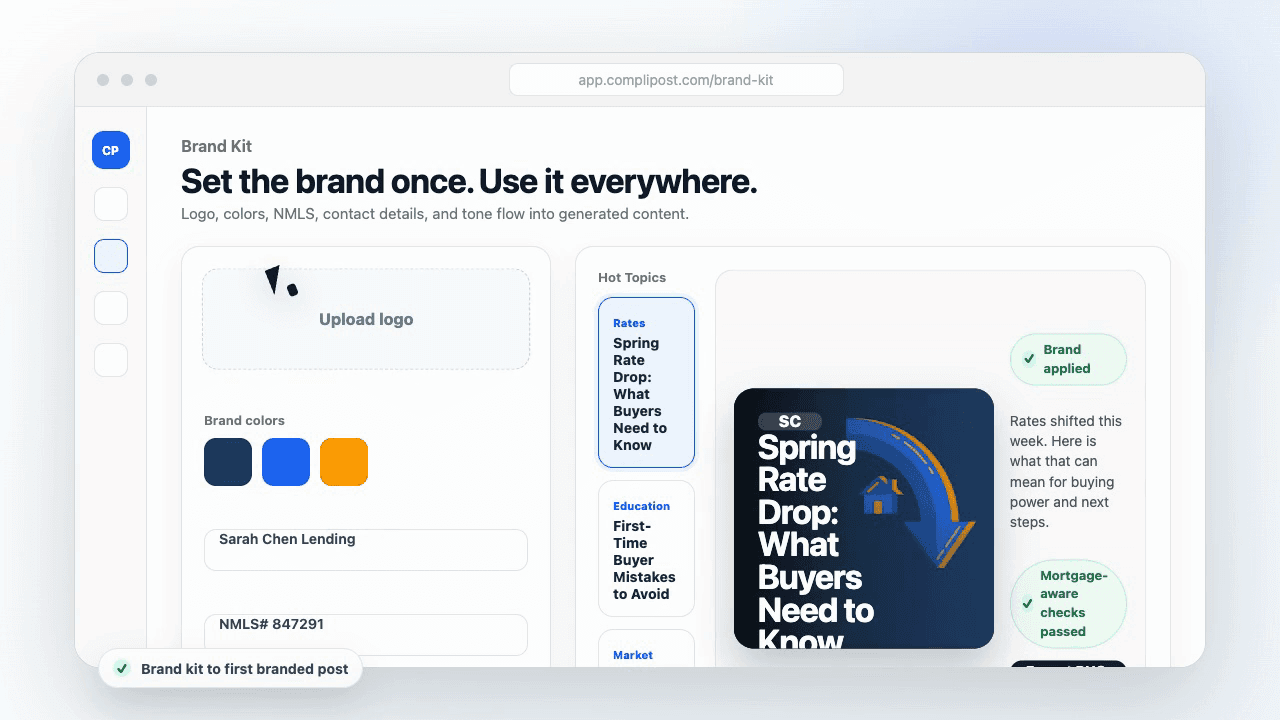
Product workflow
From blank page to export-ready mortgage content
- Start with a borrower topic
- Generate copy and a visual direction
- Review, save, and export the finished asset
These previews reflect the core CompliPost workflow: create, review, save, and export assets for use in your own channels.
Workflow comparison
| Content approach | What happens | Why it matters |
|---|---|---|
| Random posting | One-off ideas created when there is spare time | Inconsistent visibility and weak reuse |
| Template-only posting | Faster design but still requires rewriting and review | Helpful starting point, but not a full system |
| CompliPost workflow | Plan, generate, review, save, and export from one place | Better consistency with mortgage-aware review context |
| Done-for-you service | Someone else creates much of the content | Useful for some teams, but less control and less immediate reuse |
Who this guide helps
This guide is for loan officers working on solo loan officers who need a repeatable mortgage content workflow. The goal is to turn a broad mortgage topic into one borrower question, one useful takeaway, and one asset that can be reviewed before it is shared.
- You need content that sounds like a loan officer, not a generic brand account
- You want examples that can become captions, graphics, GIFs, or PDFs
- You need a clear place to review claims before export
- You want finished work saved for reuse, not lost in a chat thread
A practical workflow for this use case
Start with a narrow scenario, then move through planning, drafting, visual creation, review, and export. For carousel analytics metrics, that means the topic should be specific enough that a borrower or referral partner can immediately understand what decision the content helps with.
- Choose the borrower type, loan topic, or platform before generating copy
- Draft the caption and visual together so the asset feels cohesive
- Use the federal baseline review aid to flag claims and disclosure gaps
- Export the finished asset and save the post as a reusable starting point
What makes the content stronger
Strong mortgage content is usually specific, plain-spoken, and calm. It explains tradeoffs without pretending one answer fits every borrower. That is especially important on public social channels, where a short post can be interpreted without the full context of a loan conversation.
- Name the borrower question in the first line
- Explain one decision or tradeoff instead of covering everything
- Use examples without implying approval, savings, or rate outcomes
- End with a soft next step, checklist, or guide rather than pressure
Compliance-aware review notes
CompliPost should be treated as a review aid, not a compliance approval system. The public page, generated draft, graphic, and exported asset should all stay honest about that boundary.
- Review specific payment, APR, rate, savings, and qualification language
- Avoid “best,” “lowest,” “guaranteed,” “free,” and urgency claims unless approved
- Check NMLS, Equal Housing, company, and state-specific requirements
- Use company or legal review for anything outside the federal baseline
How this connects to the rest of CompliPost
A focused guide should leave you with a usable next step. After you understand the topic, you can turn it into a calendar slot, a reviewed social post, a downloadable guide, or a platform-specific version for the channel where your audience already spends time.
- Use the content calendar to turn the idea into a weekly plan
- Use the compliance page when claims or disclosures need a slower pass
- Use lead magnets when the topic deserves a deeper PDF guide
- Use platform pages to adapt the same idea for LinkedIn, Facebook, or Instagram
Recommended next steps
Instagram content hub
Create visual mortgage education for carousels, reels, and stories.
Carousel Closing CTA Slides
A strong CTA directly impacts which metrics you'll measure.
Carousel Repurposing Across Platforms
Track performance on each platform separately; some carousels work better in some places.
Carousel Audience Targeting
Segment-specific carousels often have higher quality engagement than general carousels.
Examples
FAQ
What's a 'good' engagement rate for a carousel?+
Engagement rate (replies + saves + shares / total views) of 2–5% is solid for mortgage content. Above 5% is excellent. Below 1% is weak. But focus on quality engagement (replies from target borrowers) over quantity (total replies). One high-quality reply beats 10 low-quality ones.
How long should I track a carousel before deciding if it works?+
Track for 7 days. Most carousel engagement happens in the first 48–72 hours. If a carousel gets no traction by day 3, it likely won't recover. By day 7, you have enough data to know if it was worth posting.
Should I delete a carousel that underperforms?+
Not immediately. Leave it up for at least a week. But if a carousel gets zero engagement and zero quality replies after 7 days, consider whether to delete it (to clean your profile) or leave it (it might get found in searches later). A weak carousel can hurt your profile credibility, so deletion isn't a bad call.
How do I know if a carousel is landing with my target audience or random people?+
Read the replies. If replies are from people asking relevant questions or describing relevant situations, the carousel is landing with your target. If replies are vague or off-topic, the carousel reached the wrong people. Quality of response matters more than quantity.
Which platform's analytics are most accurate for measuring carousel success?+
Instagram and LinkedIn have the best native carousel analytics. Facebook is less detailed. TikTok analytics focus on watch-time and shares, not completion. Use the platform with the best tools for your audience, then compare across platforms using UTM parameters on your website link.
Create mortgage content with a calmer workflow
CompliPost helps you plan, generate, review, save, and export useful mortgage content without pretending compliance or social distribution is automatic.
Start free