Content Craft
Repurpose Your Carousel Across Platforms: One Build, Multiple Wins
A carousel you build once can live on Instagram, LinkedIn, and email—but not in the same form. Each platform has different aspect ratios, audience expectations, and norms around carousel length. This guide shows you how to adapt a carousel to each channel without rebuilding from scratch, and when it makes sense to create a new version instead.
When to Repurpose vs. When to Rebuild
A 7-slide process carousel performs well on Instagram carousel posts. It's too long for TikTok, where 3–4 slides work better. It's too image-heavy for LinkedIn, where 2–3 text-focused slides work better. Ask: 'Does this slide set work natively on this platform?' If yes, repurpose. If the slides feel too long, too image-heavy, or too casual for the audience, rebuild. Spending 10 minutes adapting saves time better than spending 90 minutes rebuilding.
- Instagram carousel posts: 10-slide format works; full original carousel often fits
- LinkedIn articles or image posts: 4–5 slides or a text version works; long image carousels feel spammy
- TikTok or Reels: 15–30 seconds means 3–5 short slides max; break long carousels into series
- Email: Convert to a bulleted email or link to the full carousel; don't embed 10 images
Repurposing for Instagram (Native Carousel)
Instagram carousel posts are the native home for a mortgage carousel. Your 7-slide carousel posts as-is. No adaptation needed except minor tweaks: ensure text is large enough (test on your phone), and confirm every slide includes your LO branding. Instagram shows individual slides in the feed preview, so make sure slide 1 is compelling enough to catch the scroll. Instagram carousel posts also get a slight algorithmic boost, so they're your primary home for carousel content.
- Post your carousel in its original form; no compression needed
- Add text to your caption explaining why you made it (borrow from your brief)
- Use Instagram's 'Carousel' post type—not a single image carousel
- Monitor which slides got the most individual clicks (Instagram provides this data)
- Carousel posts on Instagram stay on your profile, so they're evergreen portfolio pieces
Repurposing for LinkedIn (Text or Condensed Version)
LinkedIn audiences prefer text-based content or condensed image posts. Take your 7-slide carousel and condense it to 3–4 key slides, or convert it to a text post with bullet points. LinkedIn also has a 'Document' feature that's perfect for longer carousels. Alternatively, post a single image (your most important slide) with a caption that summarizes the carousel and links to the full version on your website or other platform.
- Option 1: Condense to 3–4 key slides for a LinkedIn carousel post
- Option 2: Convert to a bulleted text post (slightly more professional tone than Instagram)
- Option 3: Post as a LinkedIn Document and link to it in your caption
- Option 4: Post a single key slide + caption, then link to the full carousel elsewhere
- LinkedIn audiences value expertise and clear takeaways, so emphasize the 'why' in your caption
Repurposing for TikTok or Reels (Series or Shorts)
TikTok and Reels favor short-form video and fast pacing. Your 7-slide carousel becomes 2–3 separate videos. Break it into mini-carousels: slides 1–2 in one video, slides 3–4 in another, slides 5–7 in a third. Or turn each slide into a quick talking-head video where you explain the slide aloud. This format is snappier and more native to the platform. Plus, you'll reach multiple audiences because each short gets its own algorithm cycle.
- Break your carousel into 2–3 mini-carousels (15–30 seconds each)
- Add music, transitions, or simple animations to hold attention
- Use captions (text overlay) since many viewers watch without sound
- Post as a series over a few days so each gets its own algorithmic push
- Open each video with your hook—don't assume people watched the previous one
Repurposing for Email (Text or Link)
Email isn't the place for a 10-slide image carousel. Instead, convert your carousel to an email-friendly format: write a bulleted email that hits the main points, or send a single preview image with a link to the full carousel on your website or social. If you have a large list, email is gold—but format it for the channel. Email with bullet points and a CTA ('Check out the carousel on Instagram') often outperforms image-heavy emails because they load faster and feel more readable.
- Option 1: Write the carousel content as a bulleted email (one point per bullet)
- Option 2: Send a preview image + caption + link to the full carousel
- Option 3: If you host carousels on your website, email the link and a teaser
- Keep email text lean and scannable; long emails get low engagement
- Email CTA: 'Save the carousel on Instagram' drives more engagement than clicking
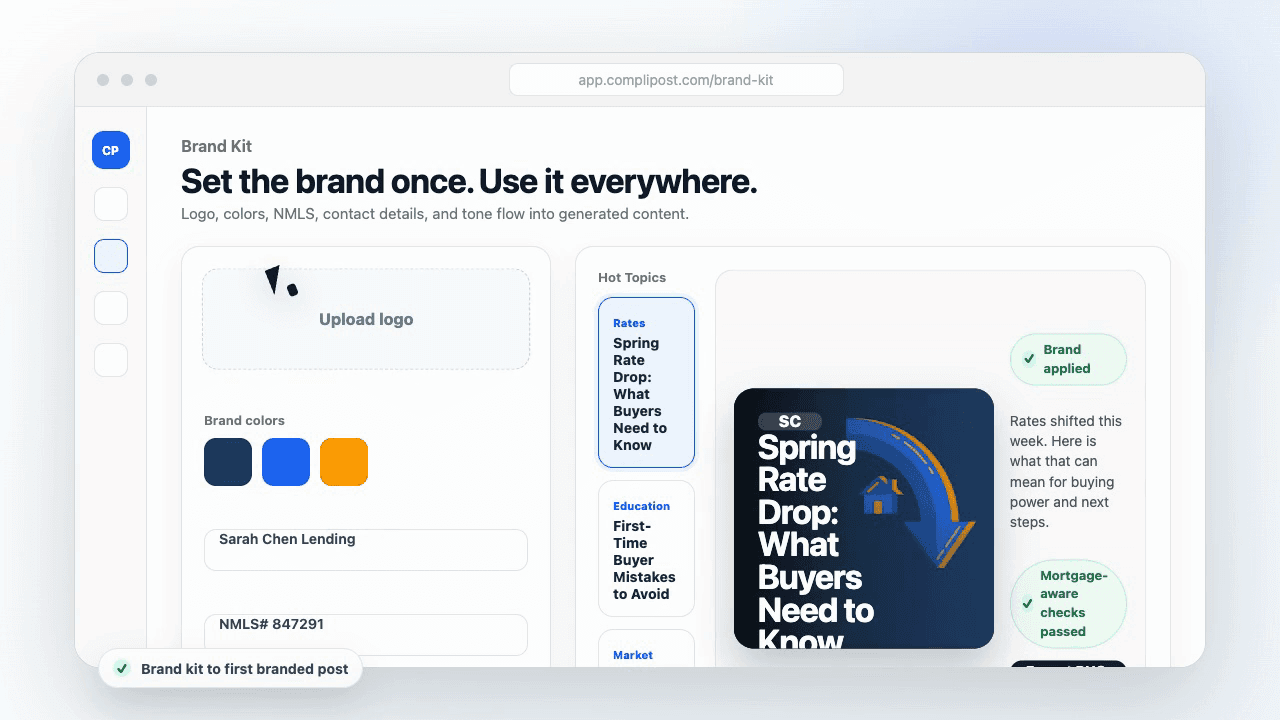
Product workflow
From blank page to export-ready mortgage content
- Start with a borrower topic
- Generate copy and a visual direction
- Review, save, and export the finished asset
These previews reflect the core CompliPost workflow: create, review, save, and export assets for use in your own channels.
Workflow comparison
| Content approach | What happens | Why it matters |
|---|---|---|
| Random posting | One-off ideas created when there is spare time | Inconsistent visibility and weak reuse |
| Template-only posting | Faster design but still requires rewriting and review | Helpful starting point, but not a full system |
| CompliPost workflow | Plan, generate, review, save, and export from one place | Better consistency with mortgage-aware review context |
| Done-for-you service | Someone else creates much of the content | Useful for some teams, but less control and less immediate reuse |
Who this guide helps
This guide is for loan officers working on solo loan officers who need a repeatable mortgage content workflow. The goal is to turn a broad mortgage topic into one borrower question, one useful takeaway, and one asset that can be reviewed before it is shared.
- You need content that sounds like a loan officer, not a generic brand account
- You want examples that can become captions, graphics, GIFs, or PDFs
- You need a clear place to review claims before export
- You want finished work saved for reuse, not lost in a chat thread
A practical workflow for this use case
Start with a narrow scenario, then move through planning, drafting, visual creation, review, and export. For carousel repurposing mortgage, that means the topic should be specific enough that a borrower or referral partner can immediately understand what decision the content helps with.
- Choose the borrower type, loan topic, or platform before generating copy
- Draft the caption and visual together so the asset feels cohesive
- Use the federal baseline review aid to flag claims and disclosure gaps
- Export the finished asset and save the post as a reusable starting point
What makes the content stronger
Strong mortgage content is usually specific, plain-spoken, and calm. It explains tradeoffs without pretending one answer fits every borrower. That is especially important on public social channels, where a short post can be interpreted without the full context of a loan conversation.
- Name the borrower question in the first line
- Explain one decision or tradeoff instead of covering everything
- Use examples without implying approval, savings, or rate outcomes
- End with a soft next step, checklist, or guide rather than pressure
Compliance-aware review notes
CompliPost should be treated as a review aid, not a compliance approval system. The public page, generated draft, graphic, and exported asset should all stay honest about that boundary.
- Review specific payment, APR, rate, savings, and qualification language
- Avoid “best,” “lowest,” “guaranteed,” “free,” and urgency claims unless approved
- Check NMLS, Equal Housing, company, and state-specific requirements
- Use company or legal review for anything outside the federal baseline
How this connects to the rest of CompliPost
A focused guide should leave you with a usable next step. After you understand the topic, you can turn it into a calendar slot, a reviewed social post, a downloadable guide, or a platform-specific version for the channel where your audience already spends time.
- Use the content calendar to turn the idea into a weekly plan
- Use the compliance page when claims or disclosures need a slower pass
- Use lead magnets when the topic deserves a deeper PDF guide
- Use platform pages to adapt the same idea for LinkedIn, Facebook, or Instagram
Recommended next steps
Instagram content hub
Create visual mortgage education for carousels, reels, and stories.
Carousel Structures That Convert
Know your carousel type before repurposing it across platforms.
Carousel Ideas for Every Loan Type
A library of carousel angles you can adapt and repurpose.
Writing Captions That Drive Clicks and Saves
Platform-specific captions that pair with your carousel.
Examples
FAQ
How often can I repost the same carousel?+
Repost it once per quarter on the same platform, or immediately on a different platform. Mortgages are evergreen content—a carousel about pre-approval is relevant year-round. Fresh audiences haven't seen your carousel, so reposts reach new people. Test reposting during different seasons (buying season vs. rate-cut season) to see if timing affects performance.
Should I change the caption when I repurpose?+
Absolutely. The carousel body stays mostly the same, but the caption should match the platform and context. Instagram caption might be casual and personal. LinkedIn caption might emphasize the professional benefit. Email subject line emphasizes timely relevance. Let the platform shape your words, not just the images.
What if a carousel works great on Instagram but bombs on LinkedIn?+
LinkedIn audiences and Instagram audiences are different. A casual, image-heavy carousel resonates on Instagram but feels unprofessional on LinkedIn. If something bombs on LinkedIn, it's not the carousel's fault—it's the platform fit. Don't force it. Stick to platforms where your audience is, and repurpose content that's already proven.
Can I make one master carousel and auto-generate versions for each platform?+
Design tools like Canva and Repurpose.io can help, but auto-generation usually loses the nuance. A LinkedIn condensed version needs different pacing and tone than a TikTok version. Spend 10 minutes adapting by hand (text size, slide order, captions) rather than auto-generating and risking a mediocre result on every platform.
How do I track which repurposed version works best?+
Track engagement metrics on each platform separately: Instagram carousel click-throughs, LinkedIn post impressions, TikTok views, email click-throughs. Then compare which platform sends the most qualified interactions (replies, DMs, shares). Over time, you'll learn where your audience is most engaged and where to invest more carousel content.
Create mortgage content with a calmer workflow
CompliPost helps you plan, generate, review, save, and export useful mortgage content without pretending compliance or social distribution is automatic.
Start free