Content Craft
Write Cover-Slide Hooks That Make Borrowers Scroll Your Carousel
The first slide is not the first word of your story—it's your pitch for the story. In a feed full of noise, your cover slide has 1–2 seconds to convince a scrolling borrower to give you 5 more slides. A weak cover slide is a carousel nobody finishes. A sharp hook turns a scroll into momentum.
Why Cover Slides Are Do-or-Die
On social platforms, the first frame is the only frame most people see in the feed. If your cover slide doesn't arrest attention, the rest of your carousel never gets viewed. Platforms reward carousels that get clicked through entirely—meaning platforms can see who swipes all the way to the end—so a compelling cover slide not only gets clicks, it signals to the algorithm that your carousel is worth showing to more people.
- Cover slide is your ad copy—it must sell the scroll in 1–2 sentences
- Weak covers tank your carousel's reach because nobody finishes
- Strong covers train your audience to expect payoff, so they come back
- Test different hooks and study which ones get the most swipes
The Question Hook
Start with a question that a borrower is already asking or should be asking. 'Can you get a mortgage if you're self-employed?' or 'What happens if your appraisal comes in low?' These work because they promise an answer, and borrowers know they want to know. Avoid questions that sound rhetorical or obvious; ask something borrowers actually wonder about but rarely voice.
- Use simple, plain-language questions (avoid jargon on slide 1)
- Pick questions you hear in real conversations with borrowers
- End with a question mark and pause—make the audience feel the setup
- Pair the question with a single compelling image or color block
The Myth Flip Hook
Start by naming a myth your borrowers believe ('You need perfect credit to buy'), then use minimal language to flip it ('You don't'). The contrast between the myth and the fact is the hook. Borrowers save these because they love discovering they were wrong about something that scared them. Myth-flip covers perform especially well with audiences who are early in their home-buying research.
- State the myth in the borrower's voice ('I thought...', 'People say...')
- Use visual contrast to make the flip feel like a reveal
- Keep the myth statement short (one short sentence max)
- The fact is the payoff—hold it for slide 2 or make it barely visible on slide 1
The Curiosity Gap and Teaser Hook
Begin with an incomplete thought or a number that doesn't add up. 'The one reason your mortgage got denied that has nothing to do with money.' or 'Here are the 5 things lenders check that you've probably never heard of.' These hooks work because they create a gap in the viewer's mind—they want to close it. Curiosity is a powerful motivator, but use it honestly; the carousel must deliver on the tease.
- Tease something specific, not generic ('You won't believe this' doesn't work)
- Make sure the payoff on slides 2–5 genuinely satisfies the curiosity
- Use numbers ('The 5 things...', 'Reason #1...') to structure the reveal
- Avoid clickbait that feels deceptive—stay honest even with curiosity hooks
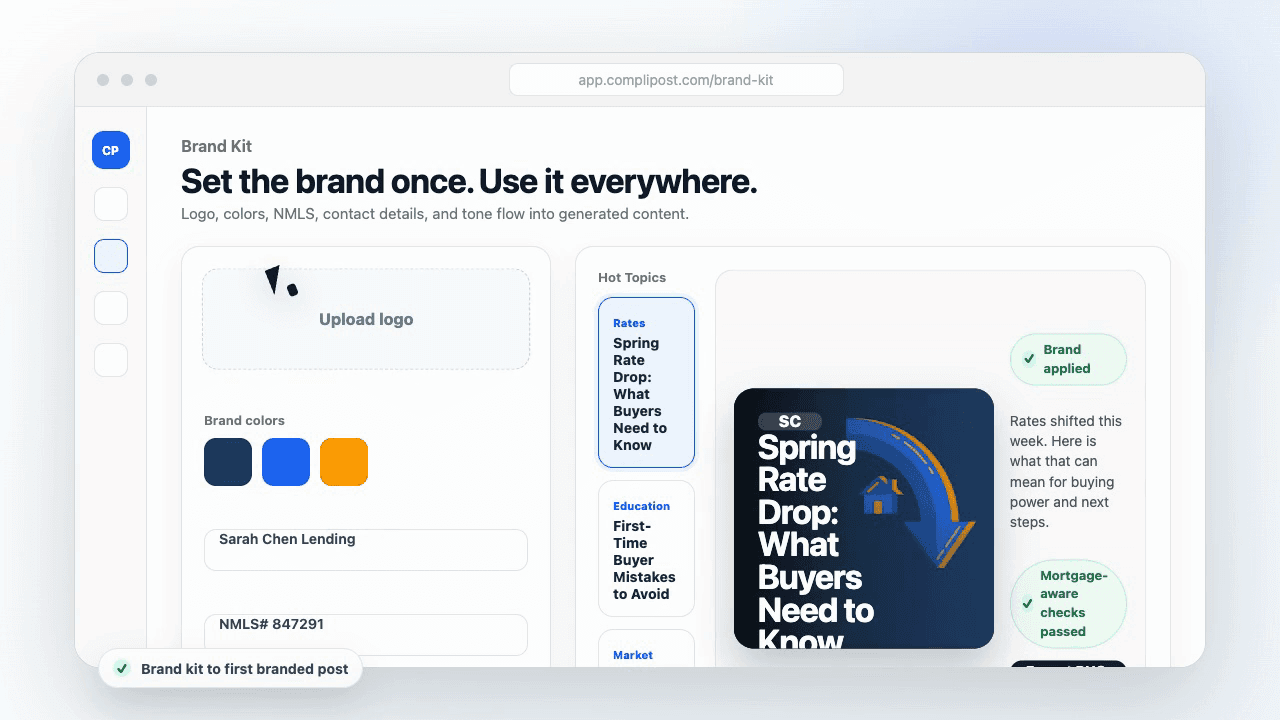
Product workflow
From blank page to export-ready mortgage content
- Start with a borrower topic
- Generate copy and a visual direction
- Review, save, and export the finished asset
These previews reflect the core CompliPost workflow: create, review, save, and export assets for use in your own channels.
Workflow comparison
| Content approach | What happens | Why it matters |
|---|---|---|
| Random posting | One-off ideas created when there is spare time | Inconsistent visibility and weak reuse |
| Template-only posting | Faster design but still requires rewriting and review | Helpful starting point, but not a full system |
| CompliPost workflow | Plan, generate, review, save, and export from one place | Better consistency with mortgage-aware review context |
| Done-for-you service | Someone else creates much of the content | Useful for some teams, but less control and less immediate reuse |
Who this guide helps
This guide is for loan officers working on solo loan officers who need a repeatable mortgage content workflow. The goal is to turn a broad mortgage topic into one borrower question, one useful takeaway, and one asset that can be reviewed before it is shared.
- You need content that sounds like a loan officer, not a generic brand account
- You want examples that can become captions, graphics, GIFs, or PDFs
- You need a clear place to review claims before export
- You want finished work saved for reuse, not lost in a chat thread
A practical workflow for this use case
Start with a narrow scenario, then move through planning, drafting, visual creation, review, and export. For carousel cover slide hook, that means the topic should be specific enough that a borrower or referral partner can immediately understand what decision the content helps with.
- Choose the borrower type, loan topic, or platform before generating copy
- Draft the caption and visual together so the asset feels cohesive
- Use the federal baseline review aid to flag claims and disclosure gaps
- Export the finished asset and save the post as a reusable starting point
What makes the content stronger
Strong mortgage content is usually specific, plain-spoken, and calm. It explains tradeoffs without pretending one answer fits every borrower. That is especially important on public social channels, where a short post can be interpreted without the full context of a loan conversation.
- Name the borrower question in the first line
- Explain one decision or tradeoff instead of covering everything
- Use examples without implying approval, savings, or rate outcomes
- End with a soft next step, checklist, or guide rather than pressure
Compliance-aware review notes
CompliPost should be treated as a review aid, not a compliance approval system. The public page, generated draft, graphic, and exported asset should all stay honest about that boundary.
- Review specific payment, APR, rate, savings, and qualification language
- Avoid “best,” “lowest,” “guaranteed,” “free,” and urgency claims unless approved
- Check NMLS, Equal Housing, company, and state-specific requirements
- Use company or legal review for anything outside the federal baseline
How this connects to the rest of CompliPost
A focused guide should leave you with a usable next step. After you understand the topic, you can turn it into a calendar slot, a reviewed social post, a downloadable guide, or a platform-specific version for the channel where your audience already spends time.
- Use the content calendar to turn the idea into a weekly plan
- Use the compliance page when claims or disclosures need a slower pass
- Use lead magnets when the topic deserves a deeper PDF guide
- Use platform pages to adapt the same idea for LinkedIn, Facebook, or Instagram
Recommended next steps
Instagram content hub
Create visual mortgage education for carousels, reels, and stories.
Carousel Structures That Convert
Pair strong hooks with proven carousel formats to maximize engagement.
Writing Captions That Drive Clicks and Saves
Your cover slide draws the scroll; your caption seals the save.
Carousel Ideas for Every Loan Type
Pre-written carousel angles and hooks ready to adapt for your audience.
Examples
FAQ
Should the cover slide always have text, or can it be image-only?+
Always include text on your cover slide. Borrowers need to know within one glance why they should swipe. An image alone doesn't signal what the carousel is about. Text + image is strongest: a bold headline paired with a relevant visual (a house, a chart, a person signing documents) that reinforces the hook.
How long should my cover-slide text be?+
Aim for 1–2 short sentences or a single powerful question. More than 20 words on a mobile screen becomes hard to read. Your cover slide is a headline, not a paragraph. If you need to explain more, that explanation belongs on slide 2.
What if I'm not sure which hook will work with my audience?+
Post three versions of the same carousel with different cover slides over three weeks. Study which one gets the most link clicks and swipes. Platforms show you how many people clicked through to each slide. That data is your answer. Your audience will tell you what works if you test and listen.
Can I use the same cover-slide hook on different carousels?+
The structure and language can be similar (all question hooks have a similar feel), but the specific question should change. 'Can you refinance if you're upside down?' is different from 'Can you refinance if you're in a low-rate environment?' They're both questions, but they're not the same carousel. Vary your hooks to keep your content fresh.
How do I avoid sounding salesy or spammy on a cover slide?+
Use the borrower's language, not marketing-speak. 'Can you get a mortgage with a 500 credit score?' works. 'open up the secrets that lenders don't want you to know!' does not. Stick to honest, borrower-first language. Your credibility is your asset; don't spend it on hype.
Create mortgage content with a calmer workflow
CompliPost helps you plan, generate, review, save, and export useful mortgage content without pretending compliance or social distribution is automatic.
Start free