Platform content
LinkedIn captions that open professional conversations for loan officers
LinkedIn captions for loan officers should read like a knowledgeable colleague sharing something useful — not a brochure. A strong LinkedIn opener hooks with a professional insight, contradiction, or honest observation that makes a referral partner or borrower want to read the full post.
LinkedIn openers that work for mortgage professionals
LinkedIn shows three to four lines before the "see more" break. Unlike Instagram, LinkedIn audiences will read longer posts — but only if the opener justifies it. Strong openers for loan officer LinkedIn posts are professional observations ("The preapproval conversation most buyers never have"), honest market takes ("Rates moved this week. Here is what it actually means for buyers"), or direct value statements ("Here is the one document self-employed borrowers should prepare six months before applying").
- Professional observation: "The one thing most realtors wish buyers knew before their first showing"
- Honest market take: "What this week's rate movement means — and what it doesn't"
- Direct value: "The document prep checklist I send every self-employed borrower 90 days out"
- Contrarian: "Why 'getting preapproved first' is still the most underrated step"
Write for two audiences at once
LinkedIn loan officer content has two audiences: borrowers researching whether to trust you, and referral partners (realtors, CPAs, financial planners) deciding whether to send you clients. The strongest captions serve both simultaneously: a market context post a referral partner can share with a buyer, or a process explainer a realtor can use with a client, builds your credibility with both audiences in one post.
LinkedIn caption length and format
LinkedIn rewards longer-form posts more than any mortgage social platform. Posts between 300 and 800 words that share a professional perspective, a market observation, or a genuinely useful guide earn more engagement than short posts. Use line breaks generously — dense paragraphs on LinkedIn get skipped. Write one idea per paragraph, and end with a clear question or invitation to comment.
Professional tone in a compliance context
LinkedIn's professional audience includes compliance officers, lenders, and regulators who follow mortgage professionals. Guarantee language, implied rate predictions, or casual claims that cross into unauthorized advice carry particular risk on a platform where posts are indexed, searchable, and easily screenshotted. A federal-baseline review aid before export is especially valuable for LinkedIn where a compliance error has professional, not just marketing, consequences.
Product workflow
From blank page to export-ready mortgage content
- Start with a borrower topic
- Generate copy and a visual direction
- Review, save, and export the finished asset
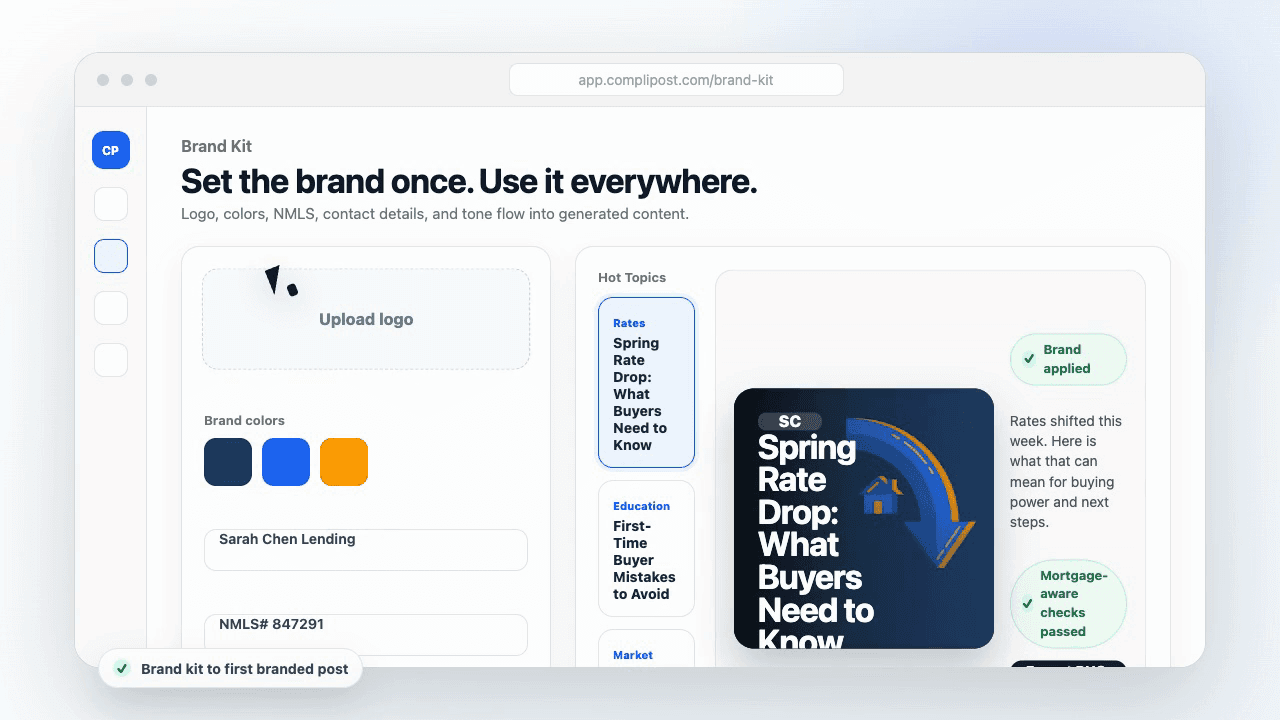
These previews reflect the core CompliPost workflow: create, review, save, and export assets for use in your own channels.
Platform fit table
| Content job | Best format | Review note |
|---|---|---|
| Borrower education | Short explainer, carousel, or checklist | Keep claims general and educational |
| Referral partner trust | Process insight or local market context | Avoid borrower-identifying details |
| Lead magnet promotion | Guide preview plus soft CTA | Do not imply qualification or approval |
| Market update | Plain-language context | Avoid rate promises or panic language |
Who this guide helps
This guide is for loan officers working on professional audiences and referral partners on LinkedIn. The goal is to turn a broad mortgage topic into one borrower question, one useful takeaway, and one asset that can be reviewed before it is shared.
- You need content that sounds like a loan officer, not a generic brand account
- You want examples that can become captions, graphics, GIFs, or PDFs
- You need a clear place to review claims before export
- You want finished work saved for reuse, not lost in a chat thread
A practical workflow for this use case
Start with a narrow scenario, then move through planning, drafting, visual creation, review, and export. For LinkedIn captions for loan officers, that means the topic should be specific enough that a borrower or referral partner can immediately understand what decision the content helps with.
- Choose the borrower type, loan topic, or platform before generating copy
- Draft the caption and visual together so the asset feels cohesive
- Use the federal baseline review aid to flag claims and disclosure gaps
- Export the finished asset and save the post as a reusable starting point
What makes the content stronger
Strong mortgage content is usually specific, plain-spoken, and calm. It explains tradeoffs without pretending one answer fits every borrower. That is especially important on public social channels, where a short post can be interpreted without the full context of a loan conversation.
- Name the borrower question in the first line
- Explain one decision or tradeoff instead of covering everything
- Use examples without implying approval, savings, or rate outcomes
- End with a soft next step, checklist, or guide rather than pressure
Compliance-aware review notes
CompliPost should be treated as a review aid, not a compliance approval system. The public page, generated draft, graphic, and exported asset should all stay honest about that boundary.
- Review specific payment, APR, rate, savings, and qualification language
- Avoid “best,” “lowest,” “guaranteed,” “free,” and urgency claims unless approved
- Check NMLS, Equal Housing, company, and state-specific requirements
- Use company or legal review for anything outside the federal baseline
How this connects to the rest of CompliPost
A focused guide should leave you with a usable next step. After you understand the topic, you can turn it into a calendar slot, a reviewed social post, a downloadable guide, or a platform-specific version for the channel where your audience already spends time.
- Use the content calendar to turn the idea into a weekly plan
- Use the compliance page when claims or disclosures need a slower pass
- Use lead magnets when the topic deserves a deeper PDF guide
- Use platform pages to adapt the same idea for LinkedIn, Facebook, or Instagram
Recommended next steps
LinkedIn content hub
Create professional posts for referral partners and business networks.
LinkedIn content calendar for loan officers
Build a weekly LinkedIn posting rhythm with referral partner content built in.
Referral partner social media content
Content angles that build realtor and referral partner trust.
Mortgage content calendar
Plan a weekly rhythm so loan-type education posts on a schedule you can keep.
Examples
FAQ
How long should a loan officer LinkedIn post be?+
Between 300 and 800 words for most professional content. Short posts (under 100 words) work for quick observations or questions, but longer posts with a clear structure tend to generate more engagement and reach on LinkedIn.
Should loan officers use LinkedIn hashtags?+
Yes, three to five targeted hashtags at the end of the post. Mortgage-relevant hashtags (e.g., #mortgagelending, #firsttimebuyer, #realestate) help LinkedIn categorize the content for non-follower discovery. Avoid more than five — LinkedIn does not reward hashtag volume the way Instagram does.
How do I write LinkedIn content that attracts referral partners?+
Write posts that a referral partner would want to share with their own clients. A realtor who follows you should be able to screenshot your post or share your link with a buyer they are working with. Content that solves a problem their clients have is content they will share repeatedly.
What is the right tone for loan officer LinkedIn posts?+
Professional but not stiff. LinkedIn rewards authenticity and genuine expertise — posts that sound like they were generated from a template get lower engagement than posts that reflect how a loan officer actually thinks. Write like you are explaining something to a smart colleague, not drafting a press release.
Does CompliPost create LinkedIn captions?+
Yes. CompliPost generates professional LinkedIn captions and long-form post drafts from your topic and brand kit, then runs a federal-baseline review aid before export. You review and refine the draft before posting.
Create mortgage content with a calmer workflow
CompliPost helps you plan, generate, review, save, and export useful mortgage content without pretending compliance or social distribution is automatic.
Start free